How to use Podcast Downloader
Note: Software requirement: HiDownload
6.98 or higher (Download
it)
1.Select the "Podcast" in
toolbar
2.clicked "Add" button ,
open the "add" window.
,
open the "add" window.
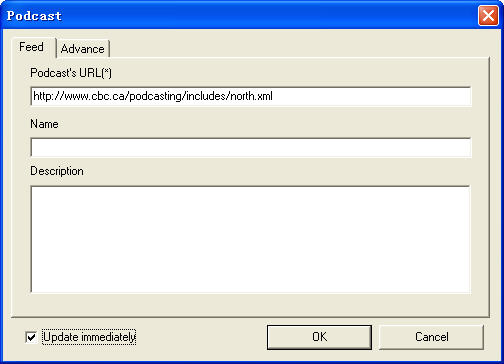
3.Input the RSS link(like: http://www.cbc.ca/podcasting/includes/north.xml)
4.check "Update immediately", then clicked
the "ok" button.
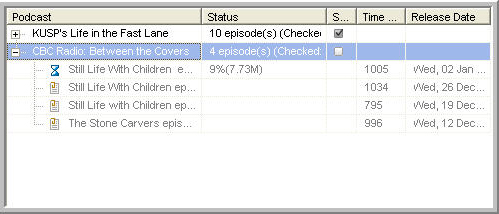
5.After HiDownload get the RSS file, HiDownload
will download the mp3 or other media files.
Schedule the Podcast
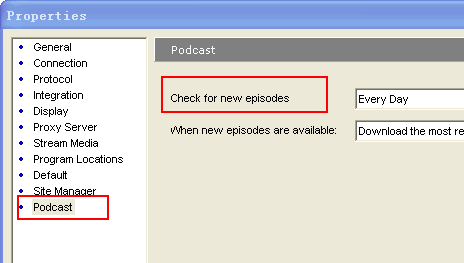
1.open "Option" windows, and select "Podcast",
then you can change the "Check for new eisodes".
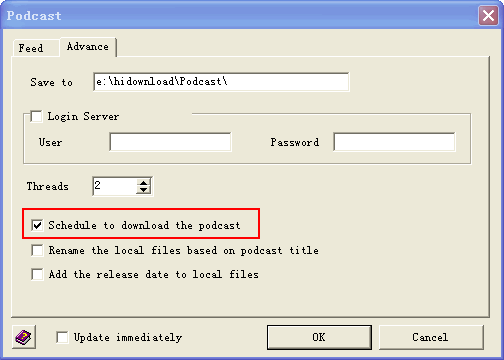
2.then check the "schedule to download the
podcast" in podcast properties window, HiDownload
will check automatically the podcast.
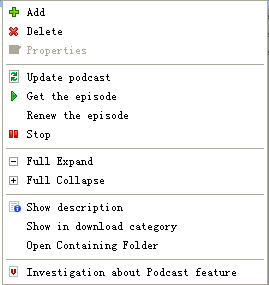
Click mouse right-button on podcast
list view, you can see the menu:
Menu description:
Add: add a podcast
Delete: Delete selected podcast
or episode
Properties: show a podcast propertise,
and update it.
Update Podcast: check the podcast,
and get the lastest episodes.
Get the episode: download the
episode to pc.
Renew the episode: re-download
the episode(the unfinished downloaded local file
will be deleted)
Stop: stop the downloading episode.
Tips:
In "Advance" tab of properties
window, you can find two usable options, easy to differentiate
the downloaded podcast episodes.



 Download
Podcast, easy to use podcast client, help you manage video
and audio podcasts
Download
Podcast, easy to use podcast client, help you manage video
and audio podcasts